01 / the opportunity
An analog system, adopted by millions. There is a reason no digital app exists. Is there a bridge?
the problem
Most apps try to replace the notebook. That is why a real digital home never stuck: they force a digital adaptation, and they lose what the analog system does.
the gap
No strong digital journal stays faithful to the method. The official companion app has not been updated since November 2023, and the top indie app has 312 US ratings. The method's name is a trademark, so Kee can't use it.
why it's worth building
- The interest is there: the main community has about 400K members. The practice builds in reflection, which a simple todo list does not.
- Paper doesn't have to go: you can print a blank template, or a page you already filled. You can also fill a printed template by hand and scan it back into the app. Paper stays in the loop.
- The bet: if the app carries the craft, and paper is still allowed to be paper, people like me can keep the practice.
the vision
A practice you can keep without becoming crafty. Daily and long templates, marks you can read later, print and scan when you want the analog. The phone is there to help you keep that practice, not to replace the notebook.
02 / product decisions
Product decisions that shaped Kee.
-
capture
A complementary path.
Rapid logging is text-based. You capture in short lines of words, each with a mark.
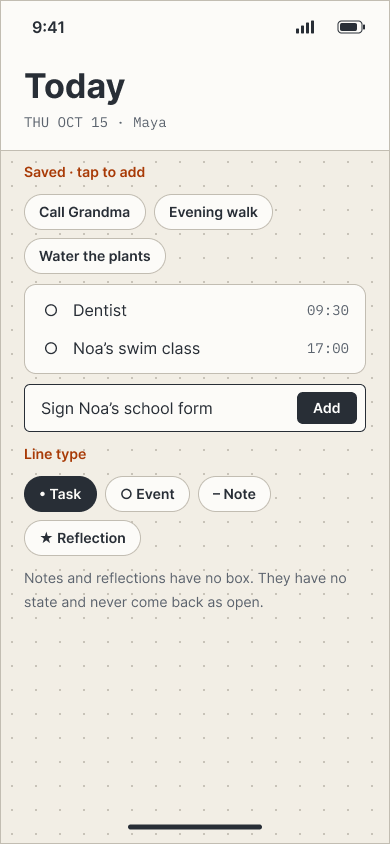
Another way in was added: pick from options, save a line you reuse, and those same labels can print on paper. "+ Add your own" is still there. Notes and reflections stay free lines.
- trade-off
- A short list cannot cover every line. Writing stays for the rest.
- payoff
- The list can get better over time, and it prints. The user does not have to design a page. They print it, tick it, and hold it. Lighter craft, still something in the hand.
-
paper bridge
Start digital. Analog in both directions.
Instead of starting analog, capture starts digital. The phone is home.
Analog tools go both ways. You can print a blank template or a filled page. You can work on paper, then scan it back.
On paper the pages are already labelled. You tick boxes. The scan reads the checkmarks.
Each page has a QR code and corner marks, so the app knows which page it is and where each box sits. You can start a scan from a photo in the library.
Handwriting can come back as complementary image notes. That writing is not added as data. The user can annotate it by hand in the app.
- trade-off
- The scan turns ticks into data. Handwriting comes back as an image, not as text. The user can annotate it manually if they want it in the log.
- payoff
- Reading a tick can be tested to a hard gate: at least 99.5% read correctly, with no silent errors, before the scan ships.
-
gamification
A gamified practice.
A notebook cannot actively encourage you. An app can. It can take what you capture and turn it into achievements, on purpose. That layer is the advantage over analog: Kee is a gamified practice, because practice sticks better when the system can link your data to progress.
- trade-off
- The layer has to stay a supporting method. If it becomes the product, Kee drifts into a streak app.
- payoff
- Progress can leave the phone as something you can hold: a printed badge, a mark on the analog page. That is the reward, and it is how the two systems stay one practice.
-
platform
Native on Apple.
Apple is the natural first home. Early adopters already live on iPhone, and a native app sits in the pocket where capture actually happens. For a new practice, that ecosystem is where people try first.
- trade-off
- iOS only, for now. Android waits.
- payoff
- First users are met where they already are, in a native app.
03 / how it works
A daily loop, with paper still in it.
You capture during the day and close it in the evening. Once a month you look back: whether the practice held, and where the effort went. When you want paper, you print a page, tick it, and scan it back.
-
01 / capture
During the day
Pick a line, or tap a Saved one.
-
02 / evening review
Close the day
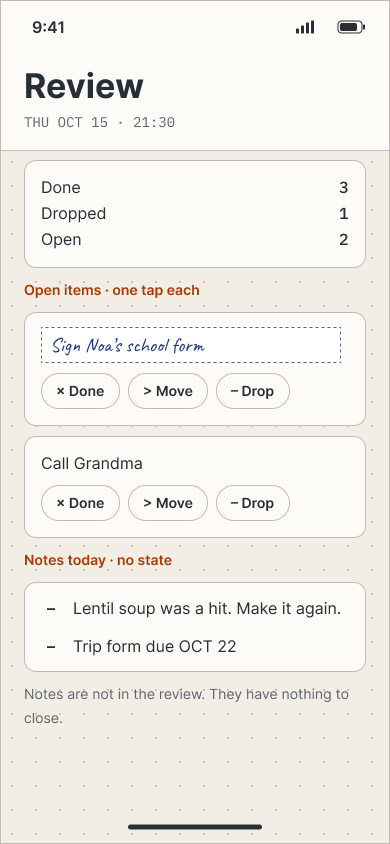
Each open item: done, move or drop. One tap each.
-
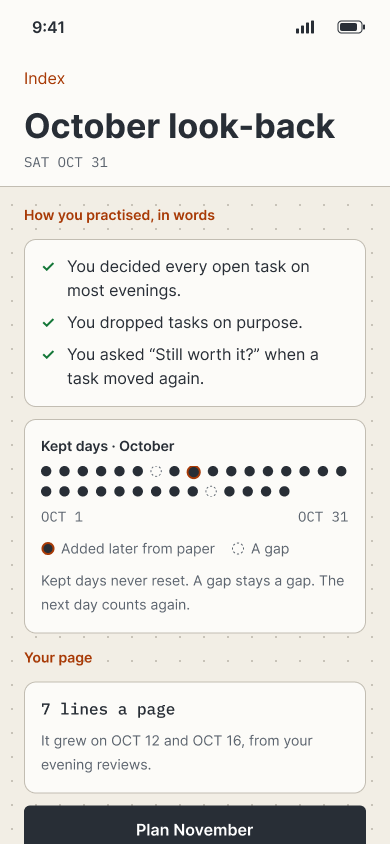
03 / monthly look-back
Look back on the month
Whether the practice held, and where the effort sat.
-
04 / paper bridge
Print, tick, scan
Pre-labelled A5 pages. The scan reads the ticks.
04 / design & interface
Warm paper, a faint dot grid, one accent.
The design went from research and personas to journeys, a prototype and a locked MVP of 23 screens, handed off as 108 Figma frames. Every component comes from one library, Kee · DS. These are some of the screens and parts that came out of it.
process
-
01 research
The market, habit forming without push, and whether a paper bridge is feasible: what a scan can read reliably, and what print needs.
-
02 audience
Personas, journeys and metrics. Maya loses evenings to setup and rewriting. Ruth captures on the go and fears losing entries. The first test group is people who quit.
-
03 journeys
Thirteen journeys mapped to screens: first week, lapse and return, boards, paper, and the people the practice layer was tested with.
-
04 screens
A 5-screen prototype first. Then the MVP locked at 23 screens: 18 P0 and 5 P1.
-
05 visual system
Direction B, dot grid, picked from several directions. Warm off-white paper, a faint 5 mm dot grid, one terracotta accent, mono for dates and counts, and the system font. Built as the Kee · DS library.
-
06 copy
A copy deck and a lint list. It says "rapid logging", never the trademarked name, and items you make are Saved.
journeys
first week
- welcome, no account
- tour 1 · your page grows
- anchor pick
- today
- evening review
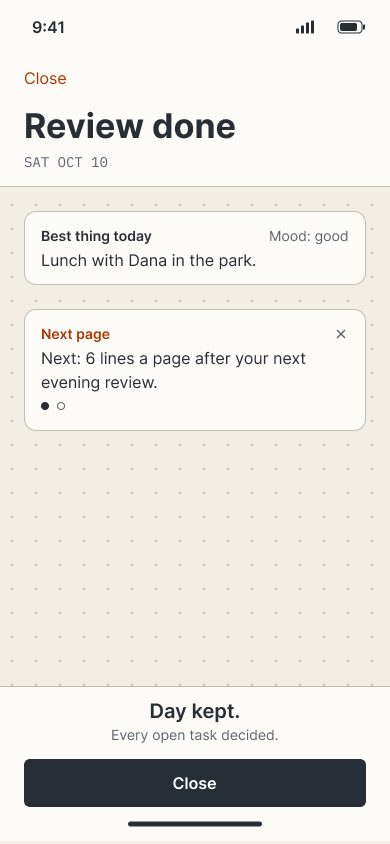
- review done
boards
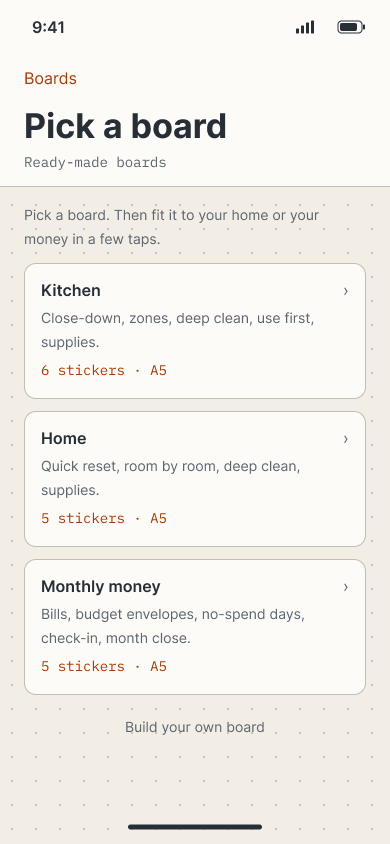
- gallery
- ready-made boards
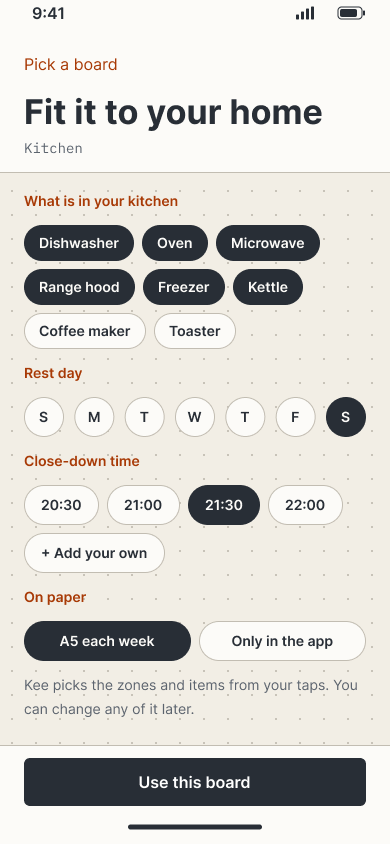
- fit it to your home · kitchen
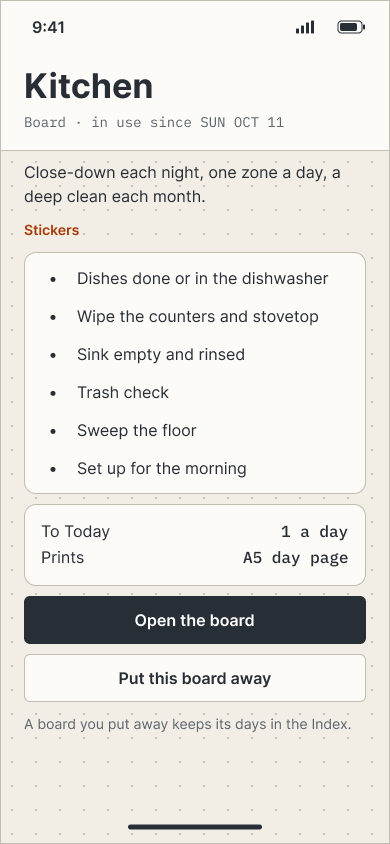
- boards in use
paper
- print · A5
- add a page
- scan · 4 corners found
- check the unclear reads
return
- welcome back
- decide old tasks one at a time
- or let them go
-

brand palette
Paper, ink and one terracotta.
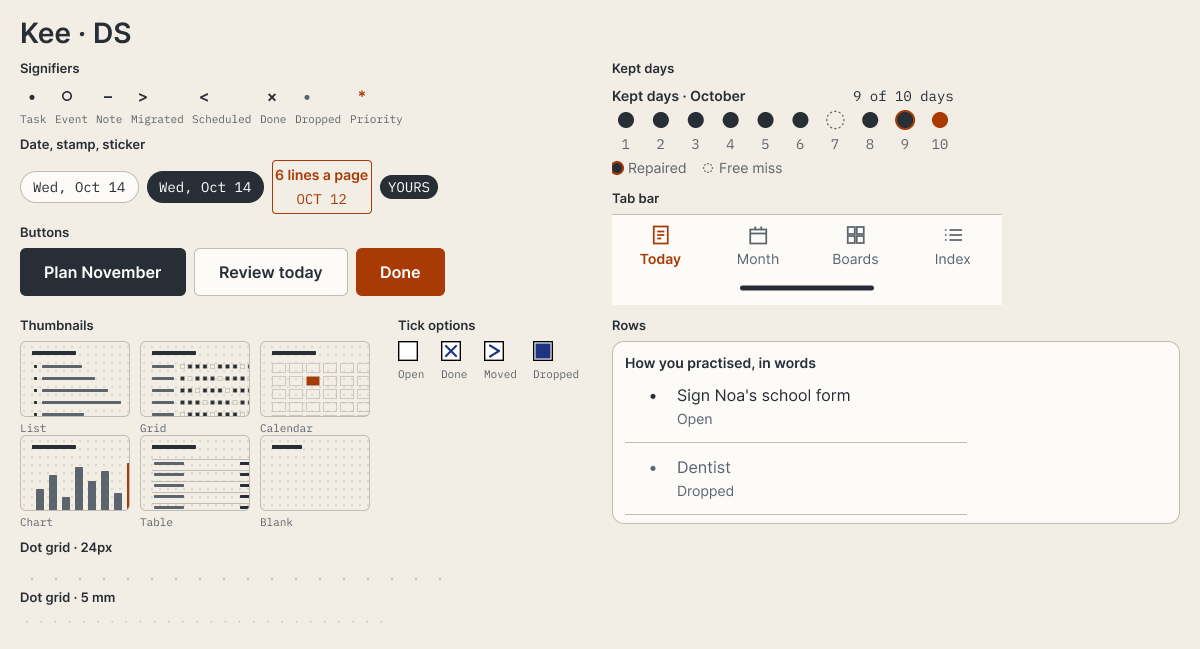
Warm off-white paper, dark ink, a faint dot grid where you write. One terracotta accent. Mono for dates and counts, system font for the rest. Built as Kee · DS.
-
design system
One library for the journal.
Every screen is built from Kee · DS. It holds rapid-log signifiers, date chips, the margin stamp, buttons, kept-days, list rows, thumbnails, dot grids and print tick boxes. Same marks on the phone and on paper.
-
onboarding
A short path onto the page.
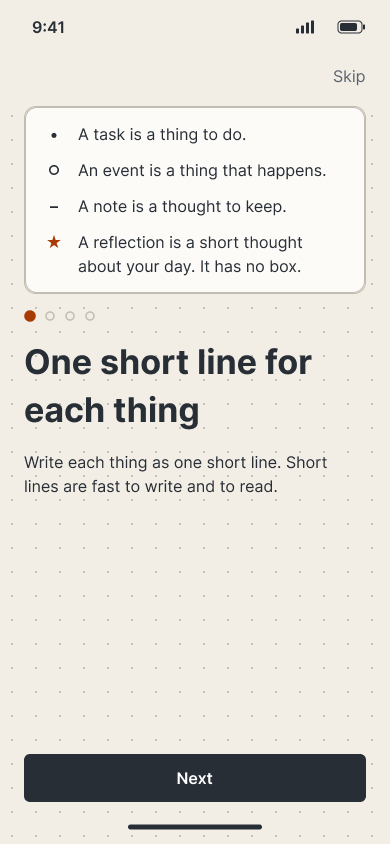
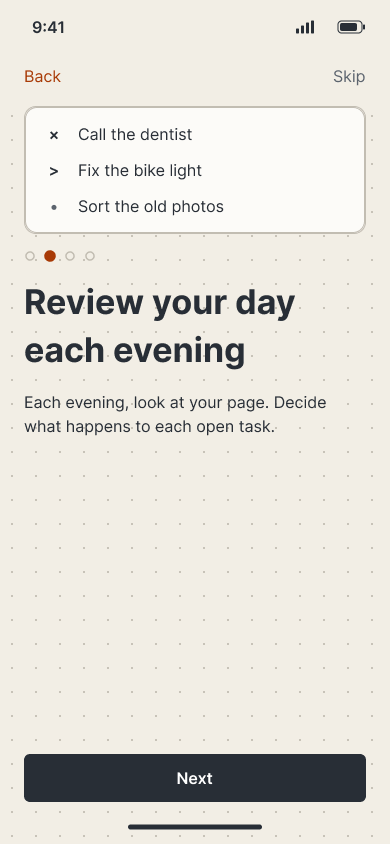
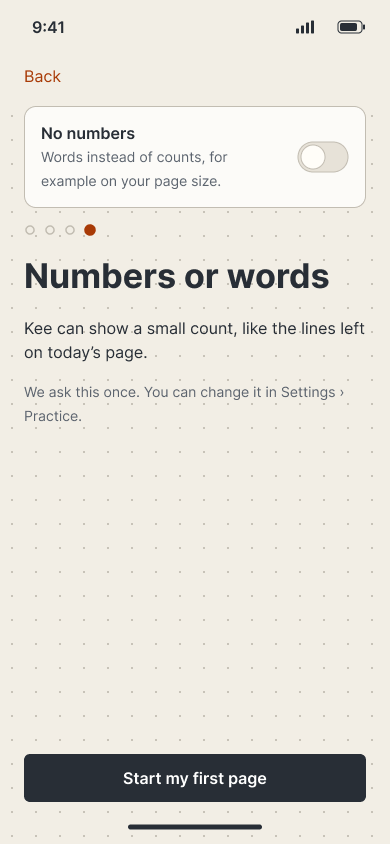
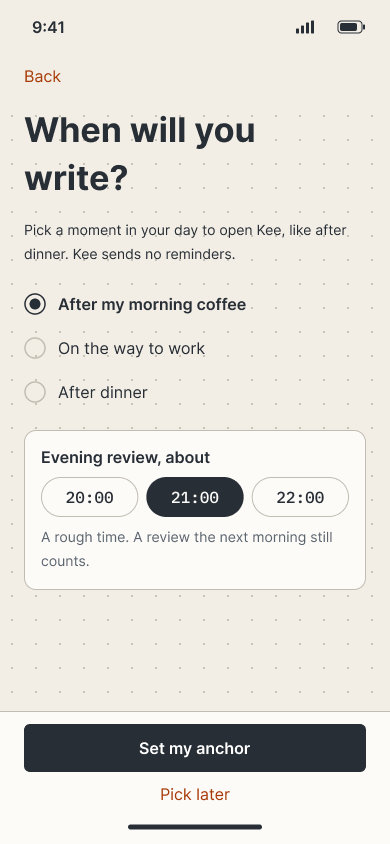
First open is a start, not a form. Then four screens: the rapid-log marks, what review is, whether counts belong on the page, and a moment in the day to sit with it. Skip is on every step. An evening time is a choice, not a notification Kee will send.
-
-
the day
Write the page, then close it.
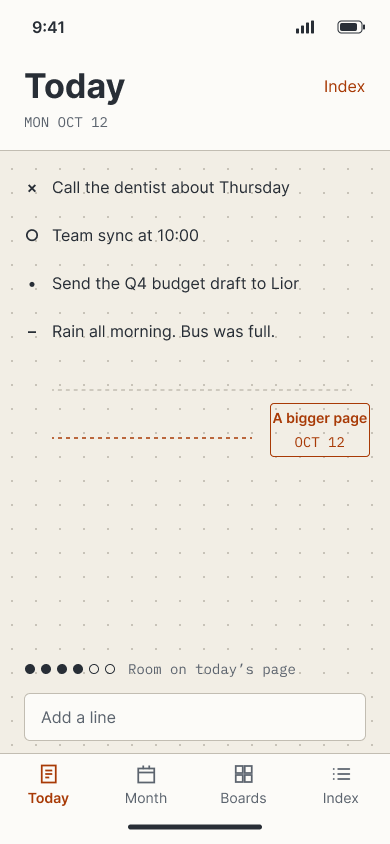
The day is one page, not a list you empty. A line gets a mark as you type. Notes have no box to close, and in the evening every open line gets one tap: done, moved or dropped. Miss the evening and the same review still counts for that page in the morning. The day is kept when nothing is left open.
-
-
the system
Boards you run. A month that reads back.
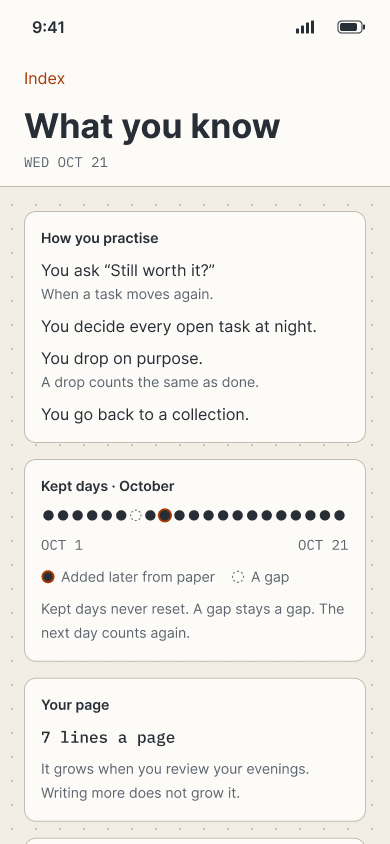
Boards are the repeating templates: pick one, fit it, run it, put it away. The month is where the system talks back. You see if the practice held, and where the focus actually sat. Kept days, a gap that stays a gap, a page that can grow.
-
-
practice
A notebook cannot do this.
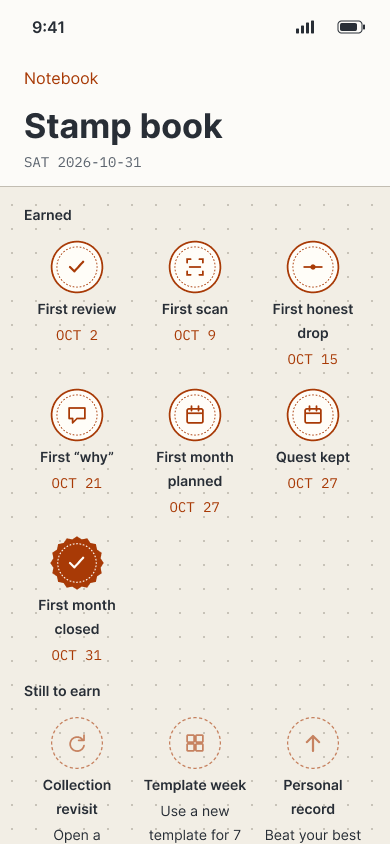
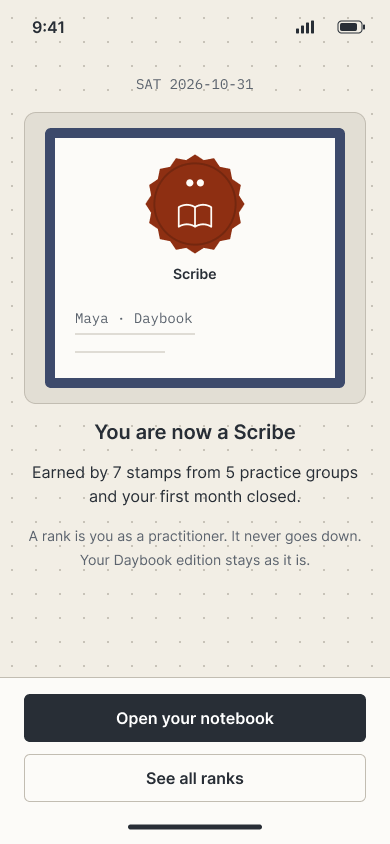
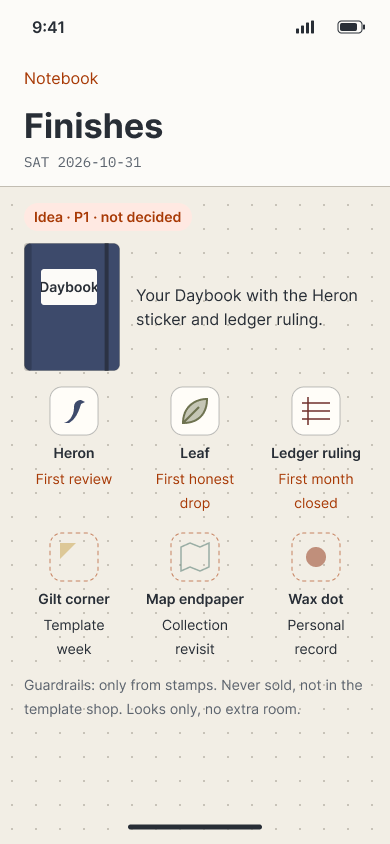
An app can turn how you practise into progress: kept days, stamps, a rank seal, stickers you print onto the analog notebook. Seals stay. A gap stays a gap. The layer has to stay a method. If it becomes the product, Kee is a streak app.
-
05 / outcome & next steps
Designed Kee through a locked MVP.
A native iPhone journal, currently in development: rapid logging, paper in both directions, and a practice layer with stamps and printed badges. The next step is testing it with people who quit paper.
built platform
Native iOS app, A5 print and scan, OAuth accounts, and a hosted database.
tech stack
SwiftUI on iOS 17; a hosted database; OAuth; Vision for on-device scan; Kee · DS in Figma.
- Mapped to screens, from first week and return through boards, paper and practice
- 13 journeys
- Start on the phone, keep paper in the loop. People who cannot keep analog craft can still keep the method.
- Hybrid
- Stamps, seals and printed badges: new encouragement hooks on top of the method, for how you practise.
- Practice
What comes next
The vision is a practice people can keep without becoming crafty. People who quit paper will choose the interaction model first. Shipping is in progress.