
01 / the opportunity
Agents write UI now. UX knowledge was written for people.
the problem
AI agents build and review UI every day. Working with them, I identified gaps in how they reasoned about UX and UI choices. Design choices were made with no clear source behind them, and the same question got different answers from one session to the next.
the gap
The guidance already exists. GOV.UK, Polaris, Ant Design and Fluent publish it, with sources. But it's written for people reading docs, not for an agent that needs one rule for one task. The opportunity is the layer in between.
why it's worth building
- Why now: agents are becoming the ones who write UI, and nothing serves them UX knowledge.
- The raw material is open: the guidance is published under open licences, so the work is structuring it, not writing it.
- Distribution is cheap: over MCP, one server reaches any agent client.
- The bet: if an agent can pull the cited rules for its job, every UX call can point to a source, not a guess.
the vision
A catalog owned by the community that writes UX guidance. Design system teams, researchers and practitioners contribute the rules they already publish, one cited claim at a time. As their guidance evolves, the catalog evolves with it, and every agent that pulls from it gets the current evidence.
02 / product decisions
Product decisions that shaped Open UX.
-
product boundary
Let the agent make the call.
Early on, I realized the need wasn't a tool that analyzes complex design work and hands down a definitive verdict. The agent building the UI already sees the screen and knows the product, the users and the task. What it lacks is the published guidance behind each choice. So Open UX gives it the rules that apply, each with its source, and the agent decides.
- trade-off
- The agent has to do the reasoning, so the result is only as good as the agent. When design systems disagree, Open UX shows both and keeps the conflict visible. Teams that need measured results use a separate grading tool that reports counts, not opinion scores.
- payoff
- Every answer can be checked. The agent can say which rule it used and where that rule comes from, and a person can follow the link. It also kept the work on the rules and the data. A heavy analysis engine would cost a lot to build and run, with no clear payoff.
-
structure
Break documentation into rules an agent can use.
Design system docs are written as pages. Agents need answers. So I broke each page into single rules, like "let users show their password". Each rule answers one question, links to its source, and says when it applies and when it doesn't. When two systems agree, it's one rule with both sources.
- trade-off
- Hundreds of small files to maintain. Schema checks in CI keep them consistent. And only openly licensed guidance can go into the catalog.
- payoff
- Every rule traces back to a source and says when it doesn't apply. An agent can cite the exact rule behind a choice. A map links each rule to jobs, components and sources. The agent follows it from a task to the rules that matter.
-
retrieval
Give the agent only what it needs.
Handing an agent every rule doesn't help. The one it needs gets buried. Agents work in tasks, so I grouped the catalog by job, like "design a form" or "compose sign-in". The agent names its task and gets only the rules that fit.
- trade-off
- Retrieval needs a lookup step: the agent has to map its task to a job before it gets rules. A matching tool covers this. The agent sends a plain-language task description and receives the candidate jobs, or lists all jobs and selects one.
- payoff
- Less noise, more focus. "Compose sign-in" returns 3 rules, few enough for the agent to read, apply and cite each one.
-
scope
Retrieve, don't orchestrate.
Agents already run their own workflow: they plan, ask and iterate. So the focus stayed on what matters, getting the right cited rules to the agent, with a retrieval mechanism built for exactly that. Optional helpers ship as a Python package that runs on the agent's side, for anyone who wants more guidance.
- trade-off
- Open UX doesn't guide the process. The agent, or the helpers, have to.
- payoff
- It fits into any agent's workflow without changing it. Any MCP client can use it as is.
03 / how it works
Task-based retrieval of cited UX guidelines.
The agent describes a task. Open UX returns cited rules, sources and component guidance. The agent builds or reviews.
-
01 / task
Compose sign-in
Name the job.
-
02 / job Card
Find the relevant need
Show the password.
-
03 / evidence
Cited rules + sources
GOV.UK criteria + component guidance.
-
04 / application
Build or review
The agent makes the call.
6 mcp tools
- suggest_situations
- list_situations
- get_situation
- pack
- get_guideline
- get_component
password / component mapping
Role aliases
Selected fields · one role
{"variants": {
  "role": [{
    "id": "current",
    "aliases": [
      "current-password"
    ]
  }]
}}
Composition
Selected fields
{"variants": {
  "composition": [{
    "id": "with_reveal",
    "aliases": [
      "show password",
      "hide password"
    ]
  }]
}}
Behavior requirements
Selected fields
{"accessibility": [
  {"id": "accessible_name"},
  {"id": "reveal_named"}
],
"keyboard": [
  {"id": "reveal_keys"}
]}04 / design & interface
Agents read JSON. People check the pages.
Agents get the rules through MCP. People get the same rules on open-ux.dev, to see what an agent cited and why. The design process covered research, audience, journeys, layout, a visual system and a small layer of delight. These are the components that came out of it.
process
-
01 research
15 published sources surveyed, from GOV.UK and USWDS to Polaris and Fluent. NN/g was dropped for licensing; a Sources page lists the rest.
-
02 audience
Two readers. Agents read the rules as JSON over MCP. People read the same rules as pages, to check what an agent cited.
-
03 journeys
Three paths, taken from the shipped flows: a developer gets access, a reviewer checks a rule, the owner reads usage.
-
04 layout and content
Pages mirror the data. The rule page follows the JSON fields, and the sidebar follows the job tree agents navigate.
-
05 visual system
Paper, ink and one orange, built as a Figma library: OKLCH reference scales, semantic aliases and core components.
-
06 delight
One mascot, Pip, used only in quiet moments, with written rules so it never becomes decoration.
journeys
developer
- landing
- request access
- invite approved
- redeem key
- connect agent
reviewer
- catalog
- filter by area
- rule page
- source citation
owner
- admin login
- approve invites
- usage telemetry
-

brand palette
Paper, ink and one orange.
The site is reference material, so it reads like paper: warm off-white, dark ink, IBM Plex. One accent, Pip orange, marks what matters: the logo, the current item, a citation. Clay tones are kept for illustration only.
-
mascot
A reference tool can still feel warm and connected.
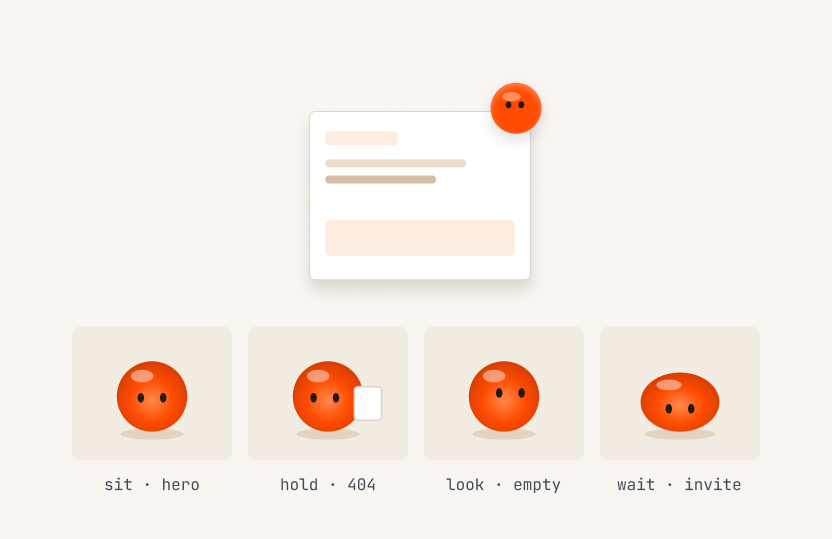
Open UX is dense reference material: rules, ids, citations. On its own, it reads like a database. Pip adds warmth where people need it most: an empty search, a missing rule, waiting for access. Three mascot directions were explored.
Pip won because it grew out of the orange dot already in the logo and on every citation, so it ties the whole site together. One Pip per surface, never in place of content.
-
homepage card
Show the product in one card.
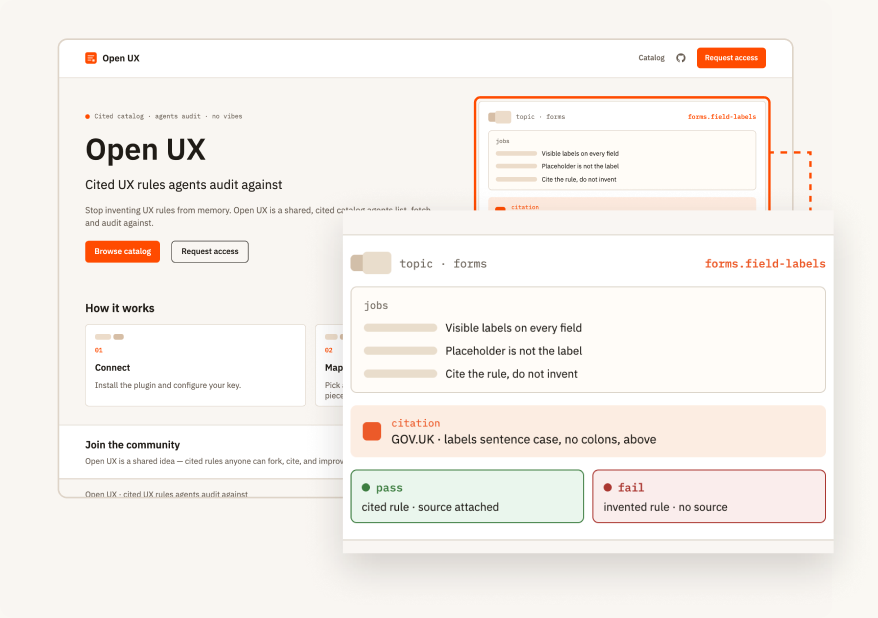
The card sits in the homepage hero, zoomed in here. It shows what an agent gets back: a job, the rules under it, a citation, and the two examples every rule carries. A first-time visitor sees the whole idea before reading a word.
-
catalog list
One row, one rule.
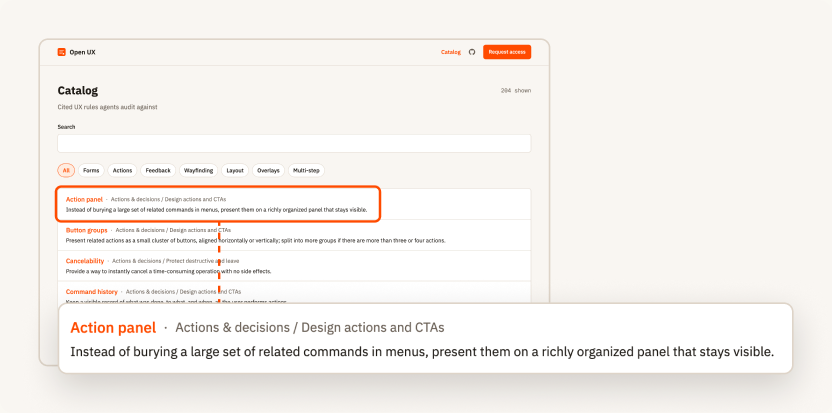
Each row shows the rule name, where it sits (area / job) and its claim in one line. Search and area filters narrow the list. Every row links to the rule's id, the same id an agent cites, so any citation can be looked up directly.
-
rule detail
The schema, made readable.
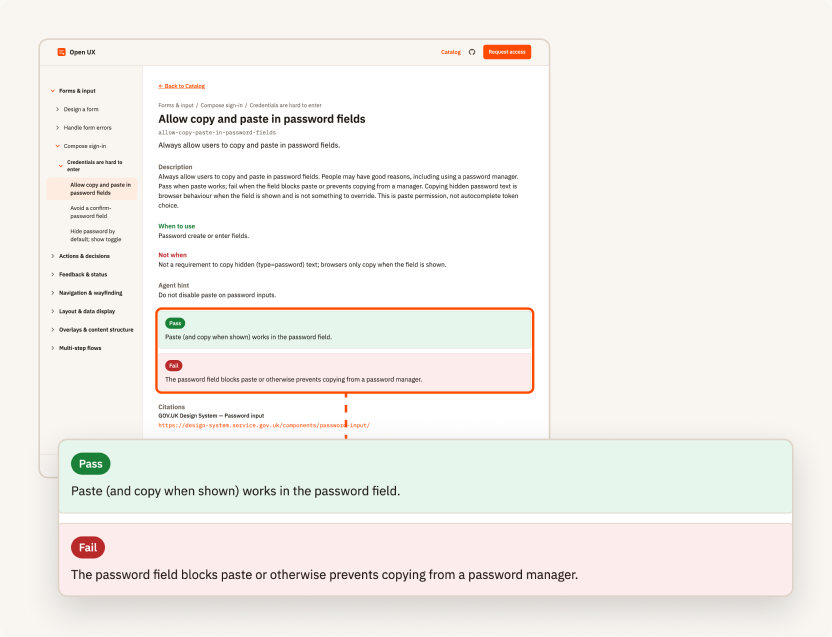
The page renders the rule's JSON for people. It shows the description, when to use and when not to, the agent hint, a pass and a fail example, and the citations. Pass and fail are the rule's own examples of following it and breaking it. The agent checks its work against them; Open UX shows them and grades nothing.
-
navigation tree
Browse the way the agent retrieves.
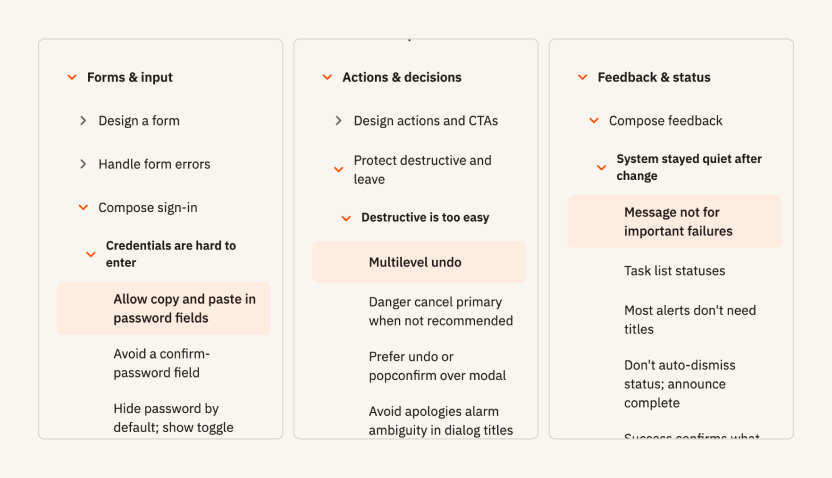
The sidebar follows area, job, problem, rule. It is the same structure agents navigate through MCP, so a person checking a rule finds it by the same route the agent took.
05 / outcome & next steps
Designed, built and launched Open UX.
A live proof of concept with a public catalog, hosted MCP server and client integrations. The next step is testing it in external workflows.
built platform
Website, hosted MCP server, Claude Code and Cursor plugin, and CLI helpers.
tech stack
Python with FastMCP, Starlette and Uvicorn; SQLite; a Vite and Tailwind website; hosted on Fly.io.
- 13 jobs, 38 components and 15 sources. And growing.
- 7 areas
- Rules that cite a published source, with pass and fail examples and a limit on when they apply
- 100%
- Rules retrieved per job, never the full catalog
- 3–67
What comes next
The vision is a catalog maintained by the people who publish UX guidance, one cited claim at a time. The contribution path already exists: a sourced JSON file, checked by the same schema and tests. Open UX Grader is planned as a separate, paid service.